Bitcoin self-custody
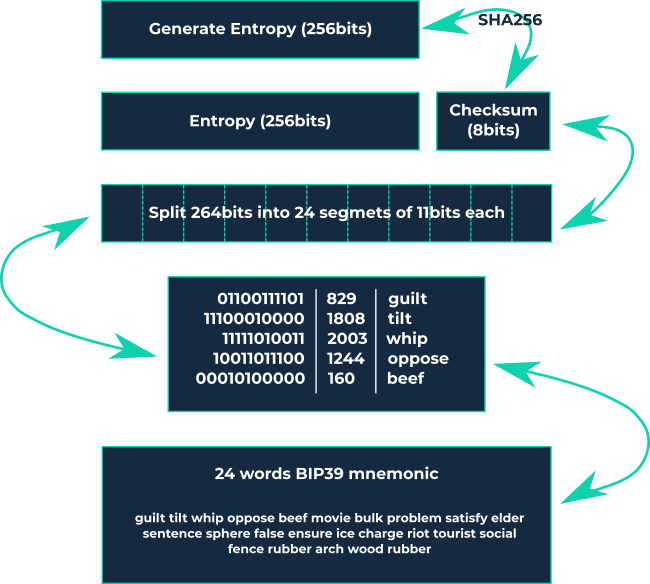
Managing your own assets independently of a third-party custodian is known as self-custody. In the context of Bitcoin, self-custody means having total control over your assets, including the private keys that allow you to access and use your funds. Self-custody wallets, also referred to as non-custodial wallets, are software or hardware wallets that hold your private keys, often represented as a seed phrase for easier interpretation. If you're technically inclined, you can learn more about mnemonic representation here.
Self-custody means that you, and only you, are fully responsible for your assets. No third party can interfere with or modify them. This offers benefits like full sovereignty and freedom but requires you to take full responsibility. This article simplifies the process into a few easy steps.
1. Wallets
Wallets keep your private keys secure and accessible, allowing you to send and receive Bitcoin easily and securely. Unlike a traditional wallet that holds cash, Bitcoin wallets don’t store your Bitcoin. Your assets live on the blockchain but can only be accessed using the private key stored in the wallet.
1.1 Software Wallet
A software wallet is a type of Bitcoin wallet that can be installed on a computer or mobile device. Because it’s online, it’s easier to hack than a hardware wallet and is often called a "hot wallet." Software wallets are popular for smaller amounts due to their ease of use and free availability. Key points about software wallets:
Custodial wallets are not recommended because you trust a third party to manage your assets. They are simple to use but risky, similar to a bank account where the bank controls access to your funds. If the custodian restricts access, your options are limited. For small, daily expenses (like buying a coffee), you might consider custodial wallets, but I advise against it. An example is Wallet of Satoshi.
Non-custodial software wallets give you control over your funds since you hold the seed phrase. If something goes wrong, you can restore access using the seed phrase. These are safer than custodial wallets but still not ideal for large amounts. Use them for regular, small transactions. Examples include Phoenix Wallet and Breez Wallet.
- Zeus App now offers a non-custodial wallet without needing your own Lightning node, which is a significant improvement.
These wallets are not suitable for large amounts or long-term holding (HODLing).
1.2 Hardware Wallet
A hardware wallet is a Bitcoin wallet that keeps private keys secure offline. It’s less vulnerable to hacking than software wallets because it’s not connected to the internet, earning it the name "cold wallet." Hardware wallets, such as plug-in devices or USB drives, are designed solely to secure private keys and sign Bitcoin transactions offline. They are the safest way to store your Bitcoin keys.
Key points about hardware wallets:
- They are non-custodial; you control your private keys.
- Choose an open-source wallet so you or others can verify its security. Don’t just trust the manufacturer’s claims.
- Examples include Trezor Safe 3 (entry-level) or Trezor T (more advanced). Trezor offers the Trezor Suite platform, which makes managing Bitcoin easy, even for beginners.
Note: I use Trezor devices, but this is not a recommendation.
2. Buying a Hardware Wallet
When purchasing a hardware wallet, ensure:
- You buy directly from the manufacturer or official resellers to guarantee authenticity and that the wallet hasn’t been tampered with. Many manufacturers use integrity stickers to show the package is unopened.
- For privacy, consider using a pseudonym and having the wallet delivered to a pickup location. Pay with cash or Bitcoin if possible.
3. Setting Up a Hardware Wallet
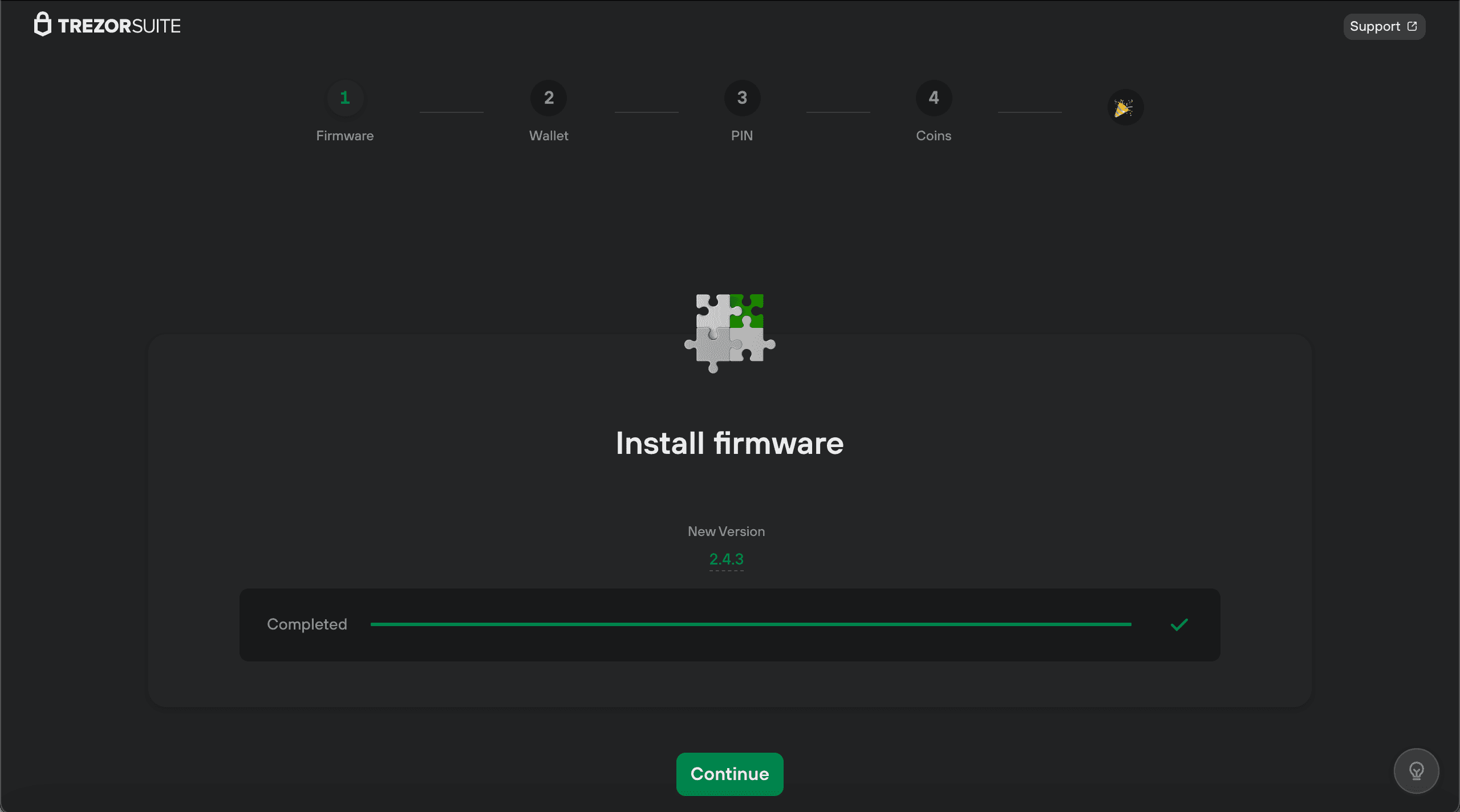
When you connect your hardware wallet to a computer, it will prompt you to install firmware and then create a new wallet or restore an existing one. Assuming you’re a new user, you’ll create a new wallet.
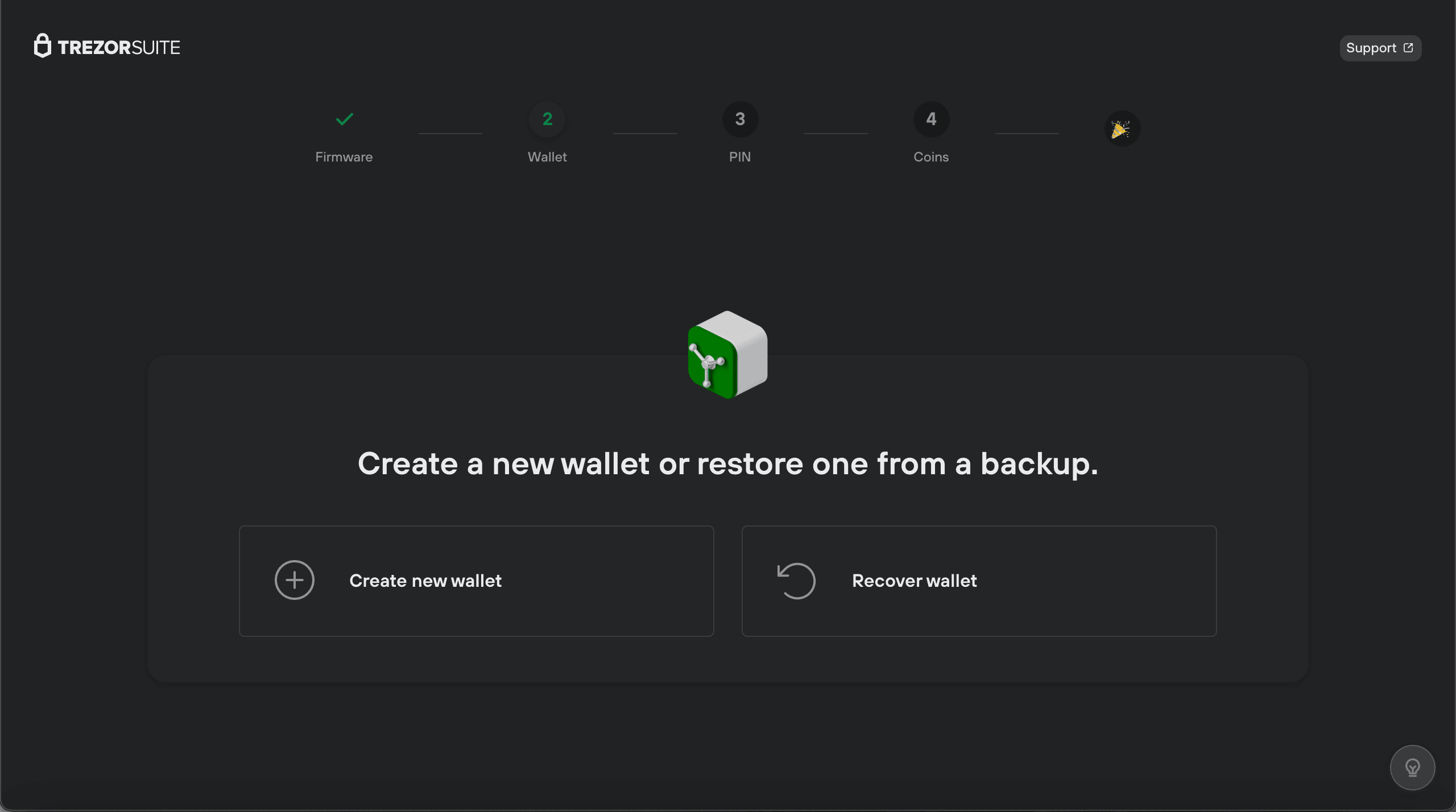
Note: Most wallets follow the BIP39 standard, meaning you can restore your wallet on another device that supports BIP39.
3.1 Seed
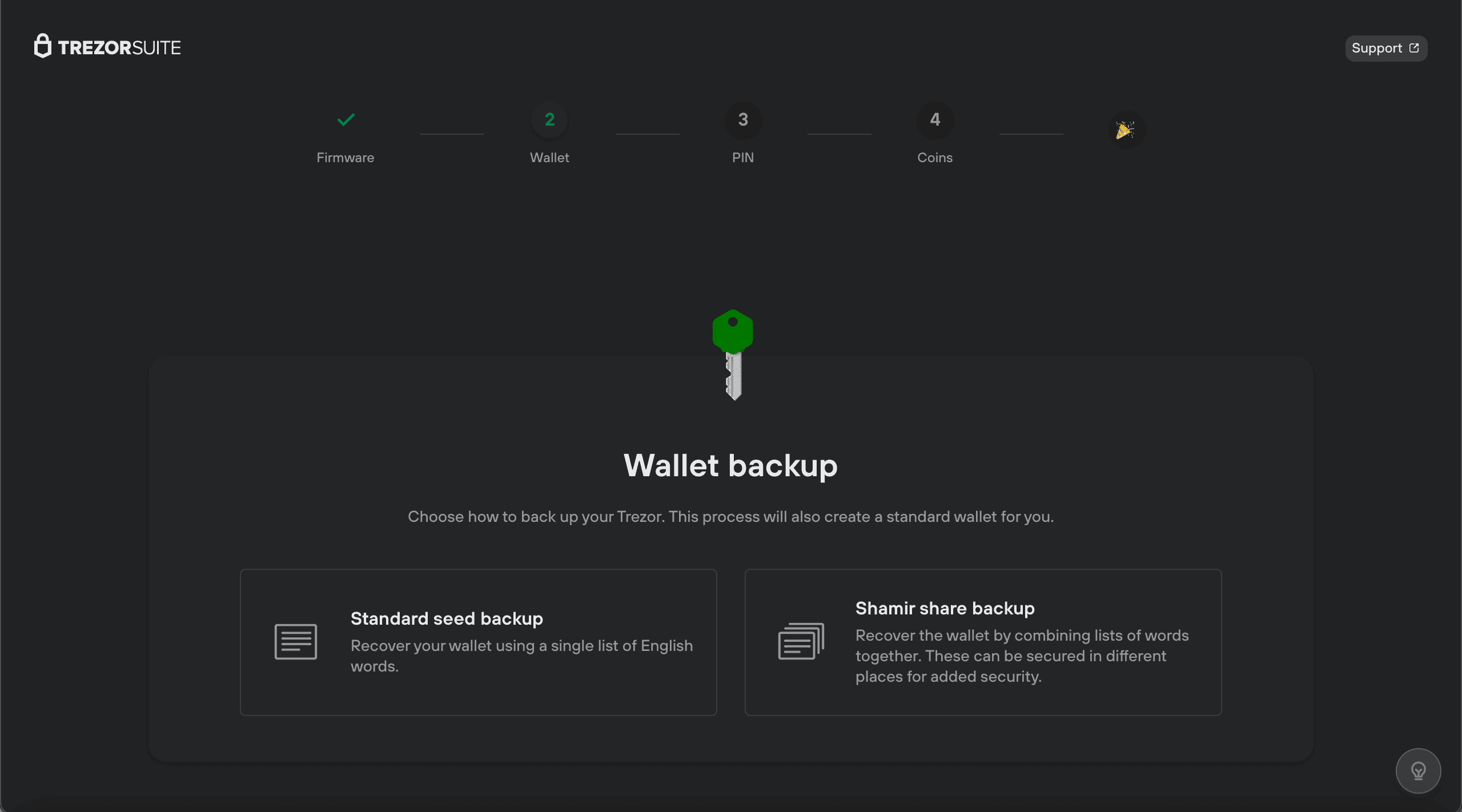
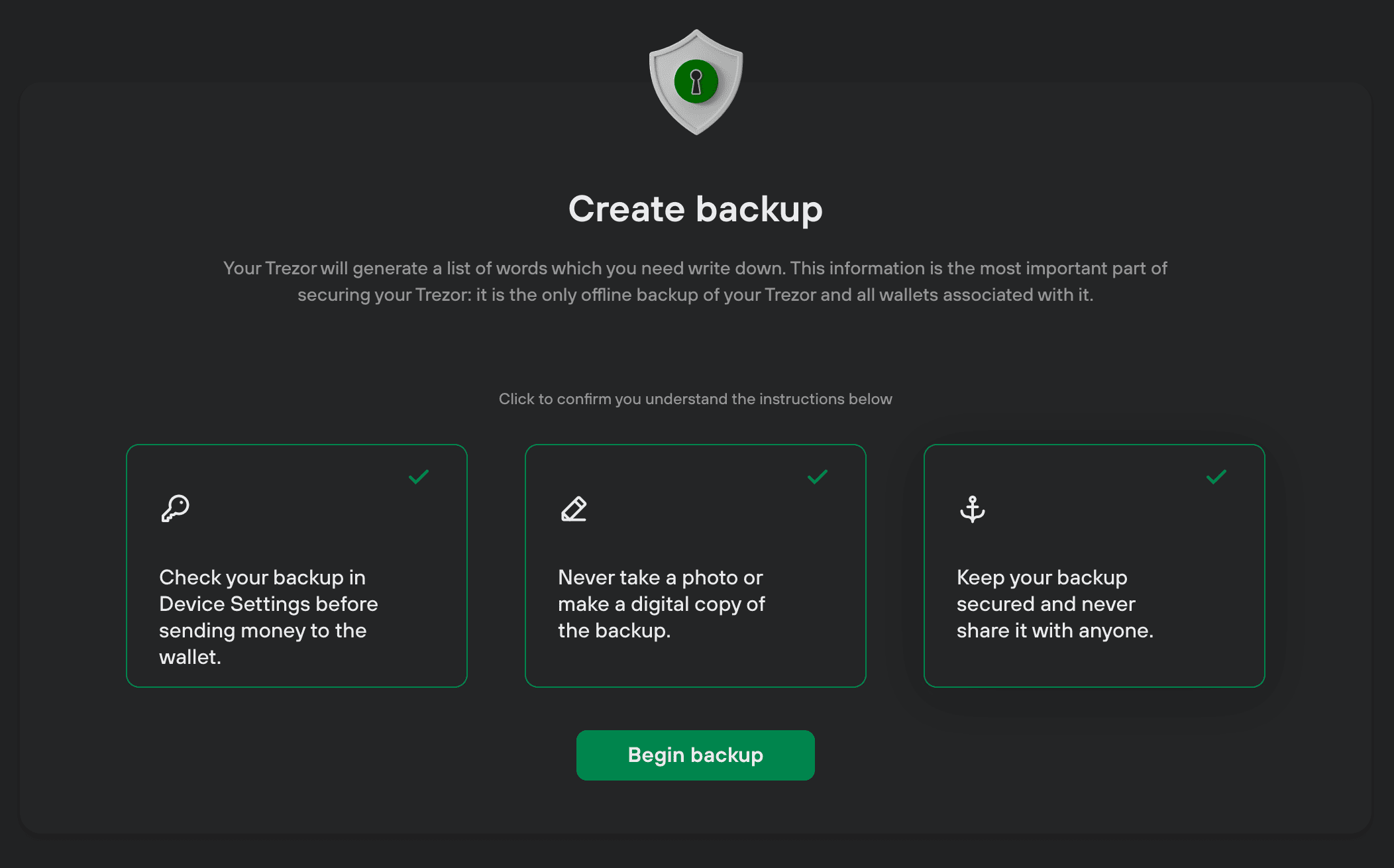
The seed phrase is a mnemonic representation of your private keys. Follow these steps:
- Generate the seed and write it down on paper. Do not store it on a computer, take photos, or save it in the cloud. Keep it offline.
- Be alone in a room without cameras or recording devices.
- After generating the seed, test it by restoring the wallet to ensure the words are correct and in the right order.
3.1.1 Twelve Words
A 12-word seed provides 128 bits of entropy, making it extremely secure. Brute-forcing it would take billions of years.
3.1.2 Twenty-Four Words
A 24-word seed adds more entropy but is unnecessary for most users. The security difference is negligible, and it complicates storage and recovery.
3.1.3 Shamir Secret Shares
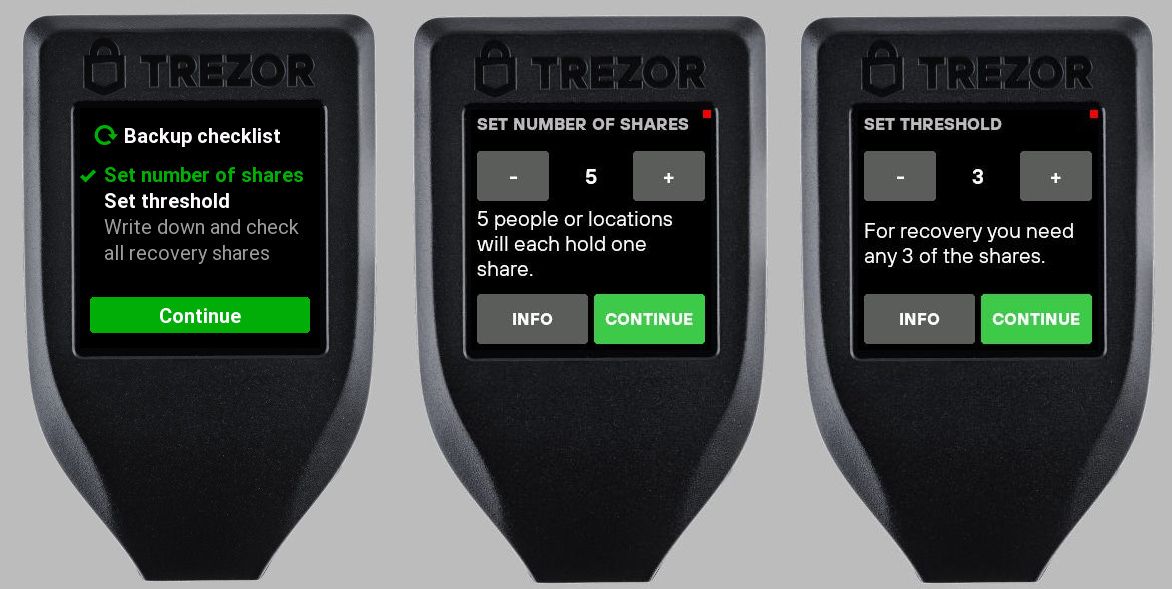
Shamir Secret Shares split your seed into multiple shares (e.g., 2 out of 3), reducing the risk of a single point of failure. If you lose one share, you can still recover your wallet with the others. This is ideal for large amounts or inheritance planning.
3.2 Passphrase
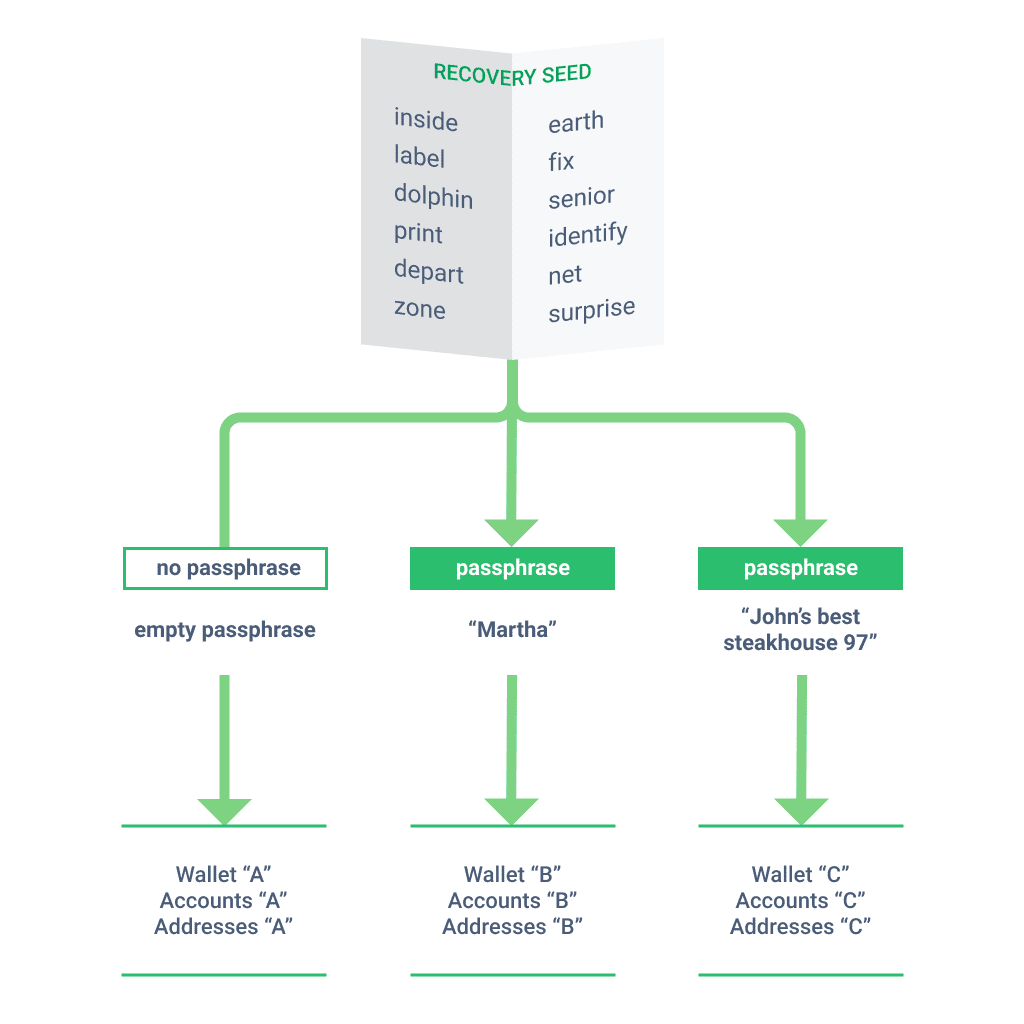
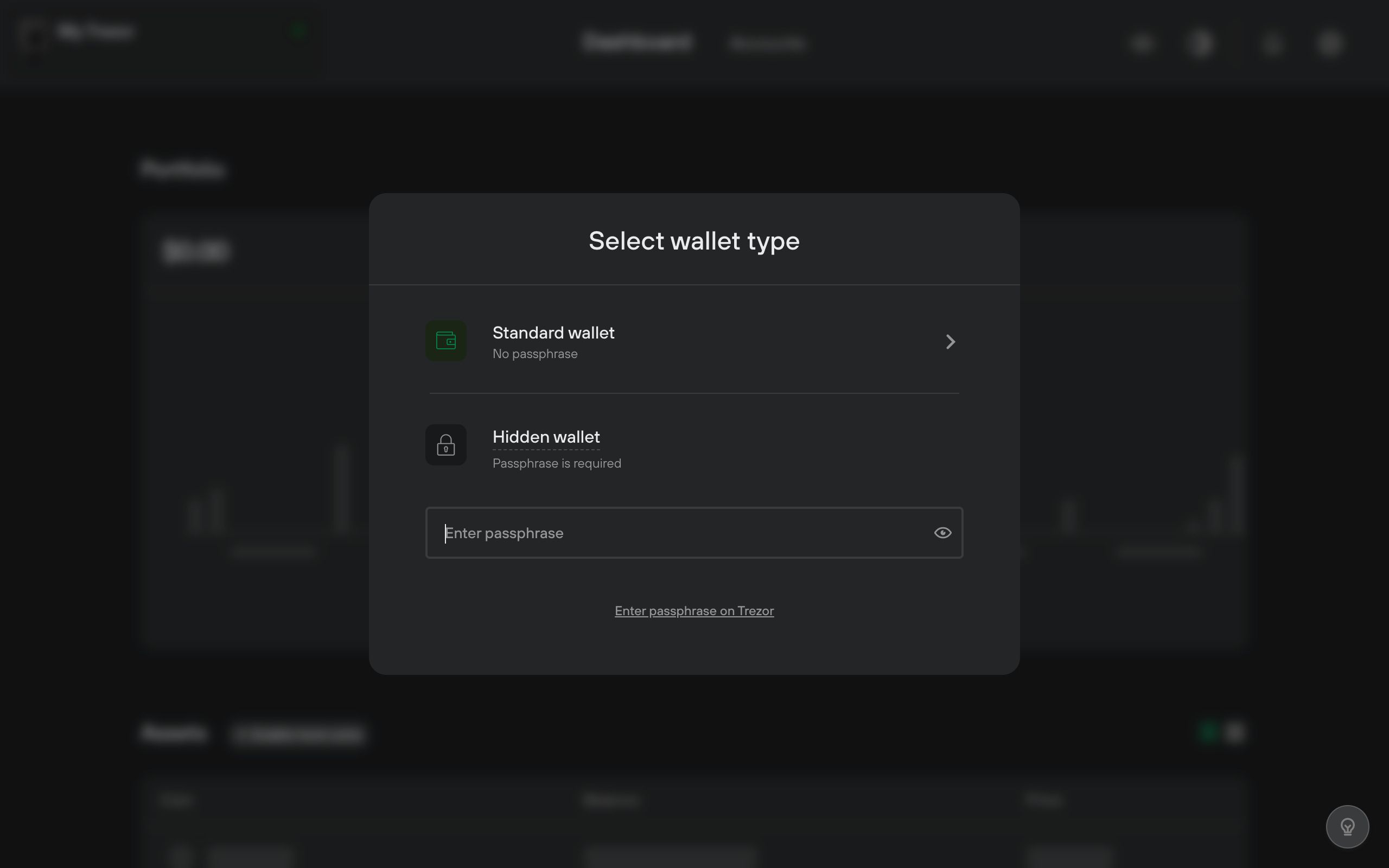
A passphrase is an additional word or phrase that adds another layer of security. It acts like a 13th or 25th word, creating a different wallet. Even if your seed is compromised, the passphrase protects your funds.
Key points:
- Store the passphrase separately from your seed.
- Make it long (at least 5-6 words or 20+ characters).
- Do not lose it; without it, you can’t access your Bitcoin.
3.3 PIN
The PIN unlocks your hardware wallet. If you forget it, you can restore your wallet using the seed and passphrase. Store your PIN securely, such as in a password manager.
3.4 Difference Between Seed, Passphrase, and PIN
- Seed: Your ultimate access to funds. Store it securely offline. Never share it.
- Passphrase: Required to access and spend Bitcoin. Store it separately from the seed.
- PIN: Unlocks the hardware wallet. If forgotten, restore with the seed.
3.5 Storing Seed and Passphrase
Storing your seed and passphrase on paper is risky due to fire, water damage, or loss. Instead, use a metal solution for durability. Options include:
- Commercial products like Trezor Keep Metal for 12 words or Shamir.
- DIY solutions like stamping words on stainless steel washers and storing them in a waterproof container.
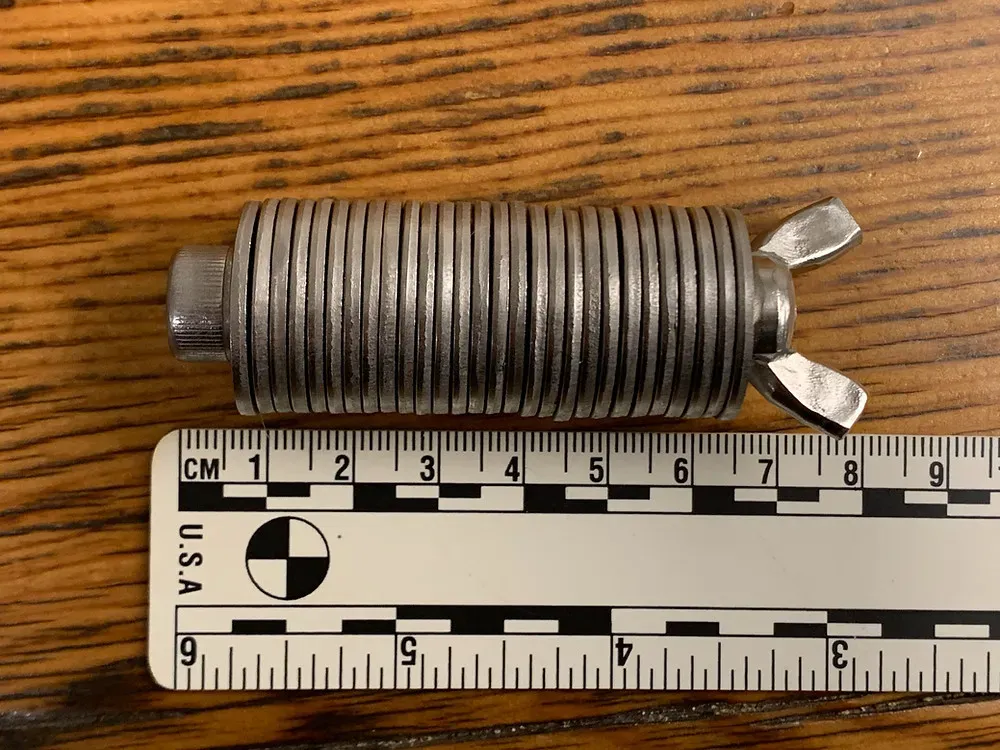
For more, see Jameson Lopp’s metal solution tests.
Conclusion
To achieve full sovereignty over your Bitcoin, follow these steps:
- Use a non-custodial software wallet for daily spending.
- Get a hardware wallet for long-term storage.
- Generate a new seed securely.
- Implement a passphrase for added security.
- Test your setup with a small transaction.
- Store your seed and passphrase on metal in separate, safe locations.
By taking these steps, you become a self-sovereign individual in control of your Bitcoin.
Disclaimer: I am not affiliated with any products mentioned. All opinions are my own.